
The Original
Motion Graphics App

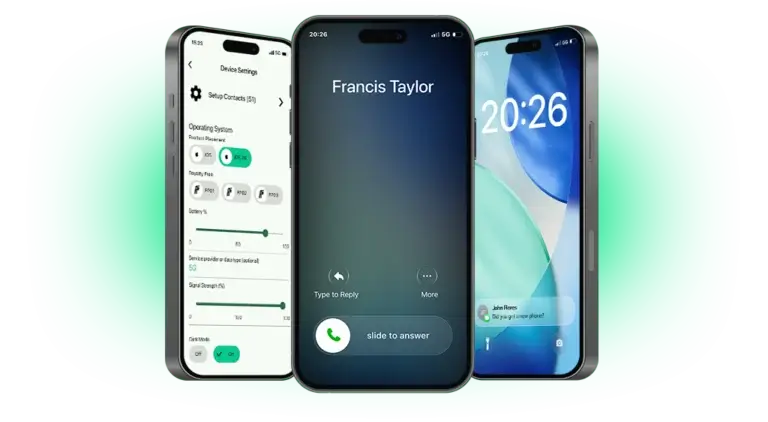
Design and edit realistic phone screen graphics for your film or TV production in minutes, even if you're in the middle of nowhere!

We've got you covered with product placement and royalty free interfaces


Start your 7-day free trial. Get full access to features with no commitment. Available on iOS and Android.

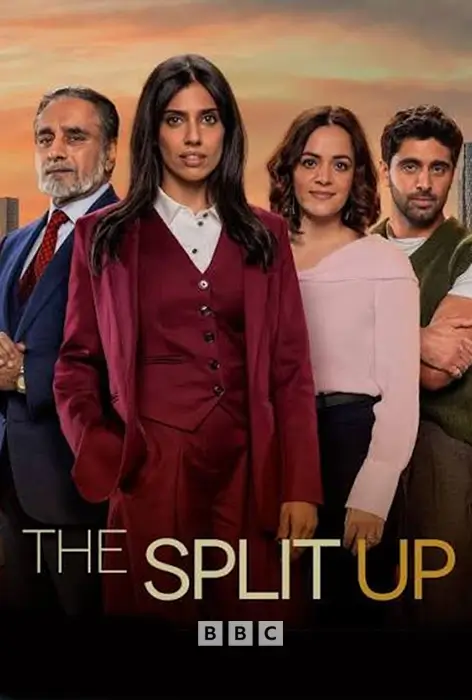
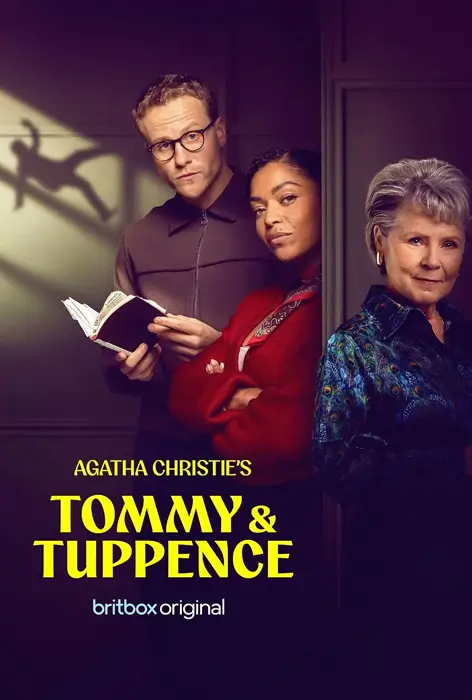
You might have already seen us in action!

Everything you need, in one place.

Film Phones lets you make the phone graphics and flows you need, when you need them. So you can stick to the script, even when it changes.

Go with the flow

Set up sequences for incoming and outgoing calls, push notifications, text conversations and video calls - all controllable via Bluetooth, so your prop phone acts as well as your cast.

Get up close and personal

Continuity is all in the details. Customise time and date, battery level, signal strength, background wallpaper, font size, contact lists and more to match real-world devices.

Pick your side

iPhone user? Google fan? Neither of the above? Choose an iOS, Android or one of our generic royalty free themes to suit character and clearance preferences.

Switch to green

Activate a green (or grey) screen with tracking markers in one click from your bluetooth keyboard so you can keep cameras rolling and add custom graphics later.

Edit on the fly

Last minute tweak in the script? Make changes to your flows in seconds to keep filming running smoothly.

Work from anywhere

Once installed, Film Phones works fully offline. Handy when you're trying to build and edit flows in a tunnel or halfway up a hill with only goats for neighbours.

We dedicate this one to the whole crew

Producers – Last minute changes? No problem. Control budget and simplify operations.

Actors – Realistic flows make phone acting a breeze. Type anything, only the scripted text will appear.

Directors – Think a call or text would improve a scene? Get it added in seconds.

Production Designers – Use Film Phones to eliminate the back-and-forth between crew and third-party companies.

Graphic Designers – Use Film Phones to free up time and budget for bigger scene-building projects.

Prop Standbys – Make realistic graphics in minutes and amends in a few clicks (and avoid getting shouted at when something goes wrong. just us?).

One License. No Limits.

We like to keep things simple. Buy a Film Phones package to cover the duration of your shoot. Get unlimited graphics on an unlimited amount of phones.
No subscriptions. No paying per graphic.

1 WEEK TRIAL

FREE

Film Phones Basic

6 Weeks

£800.00*

12 Weeks

£1,000.00*

24 Weeks

£1,500.00*

Film Phones Pro

6 Weeks

£1,300.00*

12 Weeks

£1,500.00*

24 Weeks

£2,000.00*

*Prices are exclusive of VAT
Please note packages are not upgradable, if you require more features or a longer license then another package must be purchased.

Need something more specific? Get in touch for a
bespoke package.

Trigger your graphics wirelessly

Use any Bluetooth keyboard to remotely trigger incoming calls, texts and video calls! You can also reset the graphic back to the top for take two and trigger green/grey screen at any time.

We recommend the Rii I4 keyboard as it stays connected the longest.

Master Film Phones in minutes.

Our app makes it easy to create graphics and flows for any scene. View YouTube tutorials, created by our developers, to get your phone up and running.

Frequently Asked Questions

Can I use Film Phones on multiple devices?

Yep – your package covers every prop phone on set, with unlimited graphics on all devices. Go wild and give every character a smartphone, if you like.

Will Film Phones work on my device?

Film Phones works on iPhone devices running iOS 13.0 or later and Android devices running Android 6.0 or above.

We do recommend using more modern, faster processing phones as apposed to cheap old ones but we understand budgets can be tight. Best thing to do is download the free trial and give the app a spin on your old phones to double check.

My Actor is swiping out of the app whilst in use, what can I do?

IOS and Android phones have a handy little feature we use to lock the app on the phone, for Apple IOS its called GUIDED ACCESS, for Androids its called APP PINNING or SCREEN PINNING. Activating these settings will make it much harder to accidentally close the app.

My bluetooth keyboard is disconnecting, what can i do?

Sadly external hardware has its limitations, sometimes if a keyboard disconnects and sends our app to the main menu its a hardware issue rather than a software issue.

To avoid this happening on long takes we recommend pressing an un-assigned key on your keyboard (spacebar for example) every 20 seconds or so, this will not interrupt your graphic but keep your external keyboard active and connected until your trigger point.

Contact us

Have a question? Get in touch here.
Or email us at info@film-phones.com

Our partners